The future of digital
Discover the trends, tech, and strategic insights shaping tomorrow's digital landscape. Written by experts, curated for innovators.
.avif)
When Bluetooth devices compete: how we solve multi-device BLE challenges
The challenge most apps underestimate
Once the platform scaled, new needs emerged:
- Reliable location detection: To ensure users could always end their rides, even in GPS-poor environments like underground stations, we implemented Beacon technology as a vital fallback.
- Maintenance access: Service teams needed dedicated BLE access to battery locks for maintenance purposes.
Suddenly, the app wasn’t talking to one device anymore. It was juggling multiple Bluetooth interactions at the same time.
And that’s where things started to break.
One BLE radio, multiple demands
Smartphones only have one Bluetooth radio. Yet many apps treat it like an unlimited resource.
In practice, this leads to:
- Silent scan interruptions (especially on Android)
- Features interfering with each other
- Device-specific bugs that are hard to reproduce
- “Works most of the time” experiences that frustrate users
For platforms like Blue-bike, this directly impacts both user experience and operations. To solve this, we leveraged our partnership to build a robust architecture that treats Bluetooth as a shared system resource.
Our approach: treat BLE as a shared resource
At icapps, we’ve seen this pattern before across multiple projects. When apps evolve, Bluetooth complexity grows with them.
Instead of patching issues later, we design for it upfront.
The key insight is simple: Bluetooth should be managed like any shared system resource.
Meaning: just as a processor decides which app gets processing power, there needs to be a system that determines which function is allowed to use the Bluetooth antenna at any given moment. Without this central management, different parts of the app (such as unlocking the lock versus searching for beacons) will compete with each other for the connection, leading to failed actions and a frustrated user.
The solution: a scan coordinator
To prevent conflicts between BLE features, we implemented a centralized scan coordinator.
In short, it:
- Controls who can scan at any given time
- Assigns priorities (user actions over background processes)
- Temporarily pauses lower-priority scans
- Applies rate limiting to avoid OS restrictions
- Ensures consistent behavior across devices
This creates a predictable and stable Bluetooth layer, even as new features are added.
Why this matters for your product
If your app connects to just one device, you might never notice this problem.
But if you’re building:
- A connected product ecosystem
- A mobility or IoT platform
- A feature roadmap with future integrations
…this challenge will surface sooner or later.
And when it does, it won’t show up in testing. It will show up in production.
Designing for scale from day one
What we built for Blue-bike is not a workaround. It’s a scalable foundation.
By centralizing BLE coordination:
- User interactions become reliable
- Background processes stay invisible but effective
- New integrations don’t introduce new risks
Most importantly, it allows teams to keep innovating without breaking existing functionality.
What this says about how we work
This project reflects how we approach digital products at icapps.
We don’t just build what’s needed today.
We anticipate what your product will need tomorrow.
Because in connected ecosystems, small technical decisions can have a big impact on user experience.
If you’re working on a product with Bluetooth, IoT or multiple device integrations, it’s worth asking: Are we building for today’s use case… or tomorrow’s complexity?
FAQ: Bluetooth and multi-device BLE
What is multi-device BLE?
It refers to apps interacting with multiple Bluetooth Low Energy devices, common in IoT, mobility, and connected products.
Why does Bluetooth fail with multiple devices?
Because smartphones only have one BLE radio. Multiple scans or connections can interfere, causing unreliable behavior.
How do you manage multiple BLE interactions?
By using a centralized approach, like a scan coordinator, to control access, prioritize actions, and prevent conflicts.
What are common BLE issues in mobile apps?
Unstable connections, background limitations, Android restrictions, and conflicts between multiple Bluetooth processes.
When do you need a scan coordinator?
As soon as your app connects to multiple devices or combines background and foreground BLE features
All insights

Shaping tomorrow: A talk with our innovation Manager, Maarten
At icapps, innovation is more than a buzzword; it's embedded in our culture. Maarten, who celebrates his ninth year with icapps this November, is at the forefront of this mission. As Innovation Manager, he plays a pivotal role in shaping how we approach new technology, aiming to make innovation accessible and meaningful for everyone.
A role in innovation
Maarten’s journey took a pivotal turn when he embraced this mission, taking on responsibilities that allowed him to propagate innovation throughout icapps. Throughout his career, he has engaged in various innovation tracks, including leading a blockchain project from start to finish. In his current role, he actively drives innovation across the company while balancing his client-facing work as a back-end developer and mentor.
One of his biggest challenges? Making innovation accessible to everyone. "Innovation isn’t just about big, flashy projects like AI or the Apple Vision Pro," Maarten explains. "It can be as small as testing a new tool or methodology." He aims to cultivate an environment at icapps where innovation is visible and accessible for all colleagues to contribute to.
“I want innovation to be something everyone can get involved in,” he says. “It’s about creating space for new ideas, even small ones, and ensuring they get the right attention.”
The future of innovation and technology
Maarten is cautiously optimistic about emerging technologies, especially AI, which he sees as both promising and overhyped. "There’s a lot of misinformation around AI. It often comes down to language models predicting words in sequence, hardly something you’d trust with critical decisions,” he remarks. He envisions a future where AI applications are grounded in practicality, offering real value once the initial hype settles.
He’s also closely watching the Apple Vision Pro, anticipating that future consumer models will align better with user expectations. But for Maarten, the core focus remains on practical tech solutions that benefit clients in tangible ways.
Balancing innovation with business strategy
Navigating the balance between project work and innovation can be challenging. “We serve diverse clients, so I can’t pull people off projects for innovation work,” Maarten notes. However, he emphasizes that innovation is also integral to our client projects, often emerging from the challenges and solutions we encounter.
Instead of separating innovation from our customer work, we leverage insights from these projects to enhance our internal processes.
Maarten seizes moments when colleagues have downtime between projects to foster innovative thinking and experimentation, ensuring that our approach remains adaptable and responsive to client needs and internal growth.
His vision is to stay top of mind with clients and show we’re always thinking ahead.
Staying inspired
As for staying up-to-date in an ever-evolving field, Maarten relies on a mix of external resources and hands-on work. One of his go-to tools is TLDR, a newsletter that curates short, digestible summaries of articles on topics like AI, tech, and marketing. “It’s a great way to stay informed without feeling overwhelmed,” he says. Additionally, his day-to-day work in backend development naturally exposes him to new frameworks and tools, ensuring he remains at the forefront of technological advancements.

Understanding Smart Build: The future of software custom development
In software development, a new approach is gaining momentum: Composable Architecture, or as we rather call it, Smart Build. This approach promises flexibility, scalability, and faster time-to-market, making it a compelling choice for companies that want to stay agile and competitive. But what exactly is Composable Architecture, and why is it considered the future of software custom development? Let’s break it down in simple terms.
By the way, we use the term 'Smart Build' throughout this blog to describe what others call Composable Architecture. So whenever you see 'Smart Build' or 'Composable Architecture,' know we're talking about the same concept.
What is Smart Build?
Think of Composable Architecture as a system built from a collection of smaller, independent components. Each of these components can either be custom-built or sourced from external solutions. On top of that, there are essential, frequently-used components, the foundational elements we pull straight off the icapps shelf, ready to go. They are put together to form a cohesive whole. The key to this architecture is that these individual pieces follow specific standards, making them easy to reuse, swap, or upgrade without affecting the entire system.
Unlike traditional monolithic architectures, where all code is tightly interwoven, Composable Architecture allows for flexibility and modularity. Updates or changes to one component won’t disrupt the entire system, significantly reducing the risk of downtime or extended development cycles.
Key principles of Smart Build
To fully understand the advantages of Composable Architecture, it’s important to break down its three core principles: modularity, reusability, and loose coupling.
Modularity: In Composable Architecture, each component has its own responsibilities and can exist independently. This means you can add, remove, or modify components without needing to overhaul the entire system.
Reusability: One of the most significant benefits is the ability to reuse components across multiple projects. For example, a login form may look different in various applications, but its core functionality remains the same. This saves development time and resources by eliminating the need to build the same component repeatedly.
Loose coupling: Components in a composable system are designed to operate independently of each other, reducing dependency between them. This setup allows for faster updates and fewer complications when modifying one part of the system. However, it’s essential to remember that loose coupling isn’t a shortcut—thorough analysis is still crucial to ensure each component interacts smoothly and effectively with the others. Without a careful plan, independent parts may struggle to deliver a cohesive system.
The future of Smart Build
Composable Architecture is poised to play an even larger role as software development continues to grow in complexity. The demand for specialized solutions in areas like security, accessibility, and scalability is increasing. Fortunately, the rise of SaaS platforms allows for the integration of highly specialized services, further enhancing the flexibility of composable systems.
Companies and agencies are increasingly looking for ways to avoid starting from scratch every time. They want to focus on delivering high-quality solutions that meet their specific needs, and Composable Architecture is the perfect framework for achieving that.
Discover all the benefits of Smart Build in part two
As we wrap up this first blog, it’s clear that Composable Architecture is reshaping the software development landscape. In part two, we’ll peel back the layers even further and uncover the full potential of Composable Architecture. Expect to explore its flexibility, see how it stacks up against traditional and microservices architectures, and understand why it’s a cost-effective choice for the future. We’ll also tackle the common challenges and provide actionable solutions illustrated by a real-world example of composable architecture in action.

AI vs ML: Understanding the difference
The Traditional Distinction Between AI, ML, and Deep Learning
Traditionally the distinction has always been made between AI, ML, and deep learning as follows: Machine learning is the development of algorithms by providing data with answers and having the computer "figures out" how to get to the answer.
Artificial intelligence refers to the development of algorithms by telling the computer exactly what steps it should take.
For example, if you want to categorize apples and oranges. Using AI would mean that you look at the colors of the image. If it has more green, it's an apple, if the image contains more orange, it's an orange. Machine learning would require hundreds to thousands of images manually labeled as an apple or an orange. You can then "train" a "model" to detect if the image contains an apple or an orange. Deep learning takes this further by expanding and using more complex models.
This distinction is not complete though. AI is an algorithm or a combination of algorithms. While Machine learning is a specific type of algorithm that is not built, but trained. AI can contain Machine learning and that is why we often hear about tools that use Machine learning as AI. These tools often use a combination of logic and multiple Machine learning models to function.
The Complex Relationship between AI and Machine Learning
A more complex example is reading text (OCR - optical character recognition). To read the text in an image you need 3 main parts; find where there are words, find the characters in the words and read these characters. The detection of words is done by taking a part of the image and putting it through an ML model that says whether or not this is a word or sentence. Once a word/sentence has been found, the process is repeated to determine where there are characters in the word/sentence. Then these characters are sent to another Machine learning algorithm that determines which character it is.
The whole process contains different parts and some are Machine learning, but calling the whole process Machine learning isn't entirely correct.
Applications of AI: AI Tooling, ML Tooling, and Custom ML
You can also distinguish between the following AI applications:
- AI tooling: These are platforms where AI is available and can be directly used. Like ChatGPT and Midjourney, but it’s also available in for example PhotoShop and other applications
- ML tooling: Making use of (pre-trained) algorithms, think of cloud solutions like AWS personalization and Google Vision AI. These can be integrated into your processes and applications to enhance them.
- Custom ML: Self-trained models like our Epilepsy PoC, are the most dynamic, but they are also the most difficult ones to make. Custom ML is entirely custom build models that need to be trained to do exactly what you want.
-
The Growing Prevalence of AI and ML in Our Daily Lives
Despite the differences between AI and ML, both fields are rapidly advancing and are becoming more prevalent in our daily lives. From virtual assistants like Siri and Alexa to self-driving cars, AI and ML are changing the way we interact with technology. Understanding the distinction between these two fields and their applications can help us better appreciate the capabilities and limitations of these technologies.
Are you interested in AI and do you want to learn more about how you can use it in your business?

Mijn Antwerpen: Making city life simple
Customized to serve better
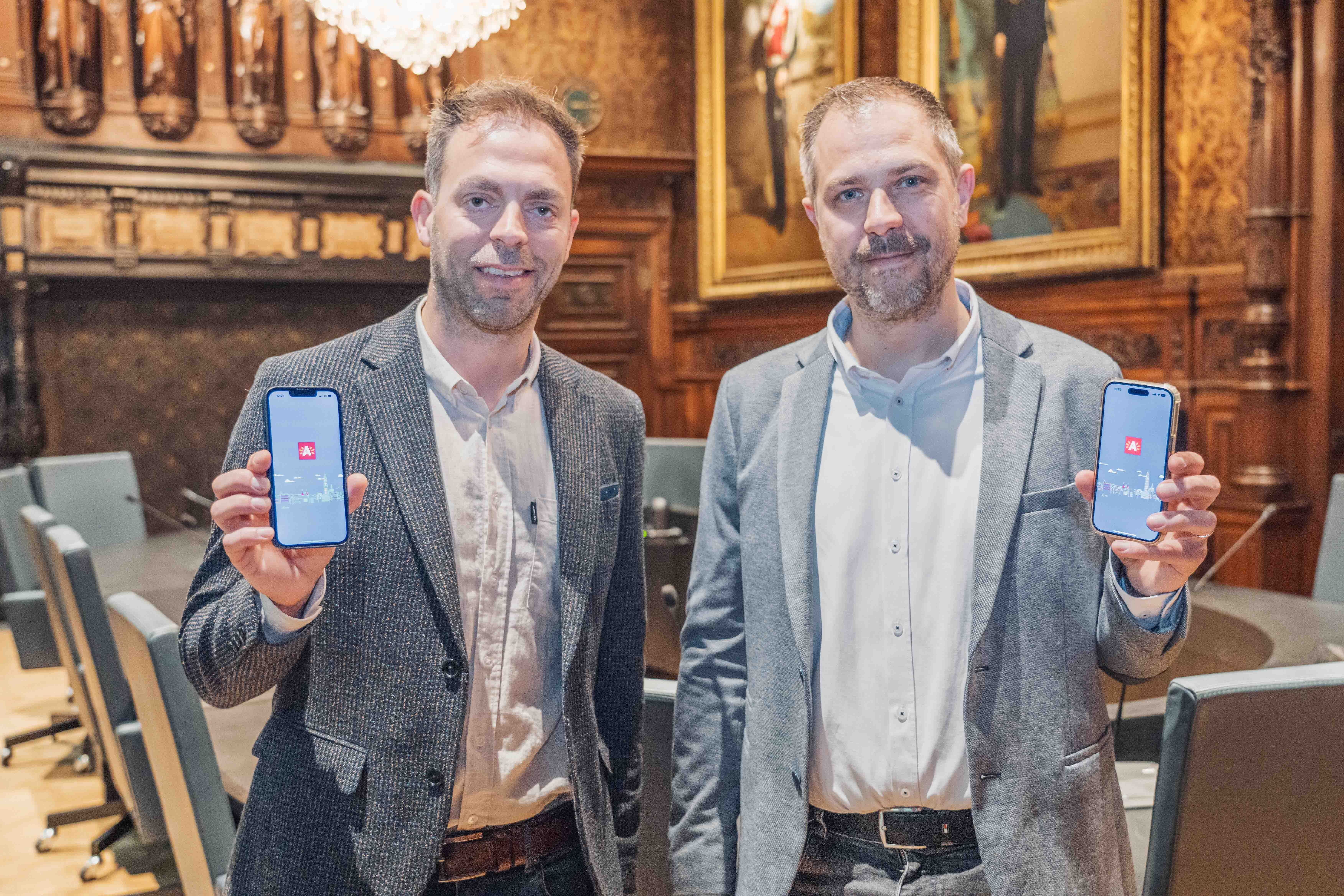
From the outset, the City of Antwerp was clear that a one-size-fits-all solution wouldn’t suffice for their ambitious digital transformation goals. “Our preliminary research indicated that existing public apps were process-driven rather than user-centric,” Youri Segers, CDO/CIO at the City of Antwerp explains. “We needed an app that didn’t just serve but integrated seamlessly into the daily lives of our citizens.”
The decision to develop a custom app was bolstered by extensive user research, which revealed a strong local demand for more tailored digital services. “The enthusiasm from our citizens was unmistakable. They wanted an app that was intuitive and comprehensive - a true digital companion,” Youri adds.
Building with and for the community
Understanding the diverse needs of Antwerp’s population was crucial. The city partnered with local stakeholders, including businesses and community organizations, to ensure the app was inclusive and accessible to all. “We engaged with Atlas and incorporated feedback from less digitally skilled users to ensure no one was left behind,” Youri notes.
Digital inclusivity was a guiding principle throughout the app’s development, as Kris (CCO at icapps) elaborates, “We aimed to create an interface that was as simple as the most basic applications, ensuring that the elderly and less digitally savvy could also benefit.”
Ambitious goals and a mobile-first strategy
Antwerp’s choice of a mobile-first approach was strategic, leveraging the ubiquity and familiarity of smartphones to drive adoption. “Smartphones are a gateway to simplifying complex processes. This accessibility drives our digital transformation efforts forward,” says Youri.
The city has set robust targets for Mijn Antwerpen, aiming for a 35% adoption rate by 2026 and 70% by 2032.
A gateway to city services
Mijn Antwerpen is designed to be a holistic tool for residents and visitors alike. It acts as a portal to numerous city services, from administrative tasks to cultural engagement. “Whether it’s registering a birth, reporting issues, or finding out about local events, the app puts all these services at your fingertips,” Kris points out. Additionally, the integration of the A-card into the app allows users to digitally collect points and access rewards, improving the user experience further.

Measuring success and looking ahead
For the team behind Mijn Antwerpen, success is defined by user satisfaction and frequent engagement. “We will continue to enhance the app based on the community's feedback and evolving needs,” Youri states. “It’s about creating an application that grows with its user base.”
Kris reflects on the alignment between this project and icapps’ mission: “Building this app wasn’t just a project; it was a commitment to improving daily life in Antwerp. It reflects our core mission to enrich people's lives through technology.”
The future of Mijn Antwerpen
As Antwerp looks ahead, the roadmap for Mijn Antwerpen includes not just enhancements based on citizen feedback but also ensuring that all new digital projects are optimized for mobile use. “This is just the beginning. The potential for expanding the app’s capabilities is limitless,” Kris concludes with optimism.
Clarity to your digital challenge?
Whether you’re modernising a complex IT landscape or building a digital product that must scale and last, it always starts with the right conversation.